GeM Tender Filling: Step-by-Step Guide
GeM Tender Filling: Step-by-Step Guide to Submit a Bid on GeM Portal

Getting yourself listed on the Government e-Marketplace is step one. What actually gets you government orders is knowing how to participate in bids correctly. Many sellers complete their GeM registration, build a catalogue, and then stall when they open their first tender. The bid document runs to multiple pages. There are technical specifications, eligibility conditions, documents to upload, financial quotations to fill, declarations to accept, and a submission deadline that does not move.
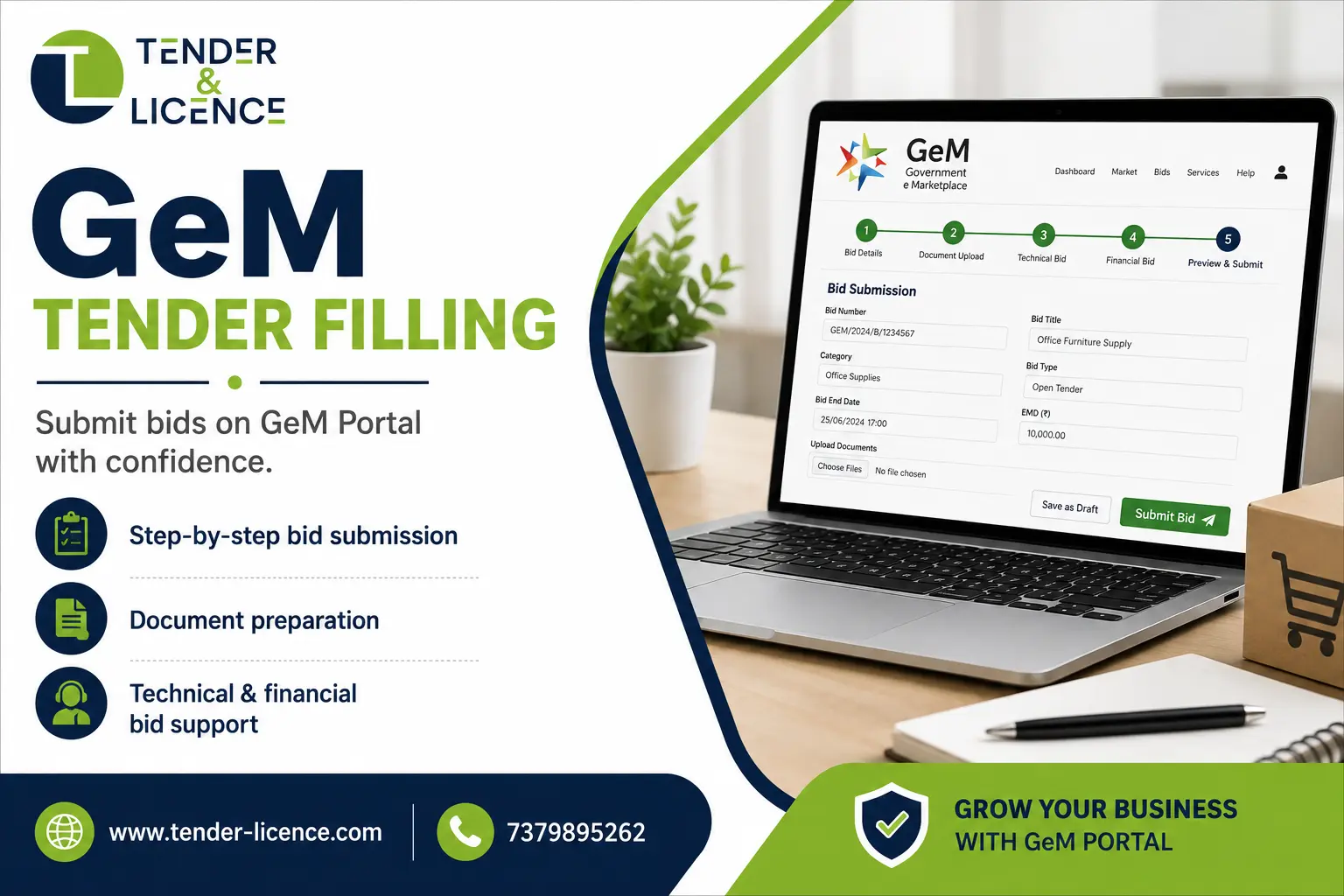
GeM tender filling is the complete process of reading a bid, checking eligibility, preparing both the technical and financial responses, uploading the required documents, and submitting the bid correctly before the closing time. Getting any one of these steps wrong can lead to technical rejection, even if your price was the most competitive.
This guide covers the end-to-end GeM tender filling process in plain language — what to check before you begin, which documents to keep ready, how to read a tender, how to prepare and submit a bid, and the mistakes that most commonly get sellers disqualified.
What Is GeM Tender Filling?
GeM tender filling refers to the process by which a registered seller on the Government e-Marketplace responds to a bid published by a government buyer. A bid or tender on GeM is a formal invitation from a central ministry, state department, PSU, or autonomous body to supply goods or services under defined terms and conditions.
Unlike a direct purchase order on GeM (where the buyer simply selects from listed catalogues), a tender requires the seller to actively participate — to submit a formal bid within the specified deadline, meeting the technical and commercial requirements set by the buyer.
The process involves more than just quoting a price. You need to read the bid document carefully, check every eligibility condition, arrange supporting documents, prepare a compliant technical response, calculate and submit a financial quote, and confirm submission through the portal’s signing mechanism.
Who Can Participate in GeM Tenders?
Any registered GeM seller whose business structure and category matches the tender’s requirements can participate. This includes:
- Manufacturers supplying goods directly from their own production
- Service providers in IT, maintenance, manpower, logistics, training, consultancy, and facility management
- Traders and resellers where OEM authorisation letters are in order
- MSMEs registered under Udyam with verified GeM profiles
- Proprietorships, Partnership Firms, LLPs, and Private Limited Companies
- Startups with valid DPIIT recognition
Eligibility for any specific bid, however, depends on the conditions set by that particular buyer. A tender may require minimum turnover, prior experience, specific certifications, OEM status, or particular geographic capability. Meeting the general seller criteria does not automatically mean you meet the conditions of every individual tender. Always read the eligibility section of the bid before deciding to participate.
Things to Check Before Filling a GeM Tender
Before opening a bid response, run through this pre-participation checklist:
- Active seller account — your GeM profile should be fully verified, with no pending verification steps
- Current KYC — PAN, GST, Aadhaar-linked key person validation, and bank details should all be updated
- Live catalogue — the product or service you intend to bid for should be listed and active in your GeM catalogue
- Correct category mapping — buyers often cross-check your catalogue against the bid category
- Udyam/MSME registration — necessary if you intend to claim EMD exemption or MSME-specific relaxations
- Relevant certifications — ISO, BIS, or other certifications the specific tender may require
- OEM authorisation — if you are a reseller, the OEM authorisation letter should be current and in the correct format
- Realistic capacity — can you actually deliver the quantity, at the location, within the delivery period specified?
Documents Required for GeM Tender Filling
The exact documents required vary from bid to bid. The buyer can add specific document requirements through what GeM calls Buyer Added ATC (Additional Terms and Conditions). The table below covers commonly required documents:
GST Registration Certificate
Establishes your business identity and tax compliance
Most bids
PAN Card
Business identity verification
Most bids
Udyam Registration Certificate
To claim MSME, EMD exemption, and relaxations
Where MSME benefits are being claimed
Cancelled Cheque / Bank Proof
Payment verification
Most bids
OEM Authorisation Letter
Proves you are authorised to sell the OEM’s products
Where resellers are bidding for branded goods
ISO / Quality Certification
Meets technical specification or buyer ATC
Where specified
BIS Certificate
Product conformity with Indian standards
For goods under mandatory BIS categories
Technical Specifications / Datasheet
Confirms product meets the buyer’s technical requirements
Most goods bids
Experience Certificate / Work Orders
Proves prior supply or service experience
Where experience criteria is set
Turnover Certificate / ITR
Meets financial eligibility criteria
Where turnover criteria is set
DPIIT Recognition Certificate
To claim Startup relaxations
For DPIIT-recognised startups
EMD (Earnest Money Deposit)
Bid security, proves serious intent
Where EMD is mandatory and no exemption applies
ePBG Bank Guarantee
Performance security after order award
In high-value contracts where ePBG is stipulated
Manufacturer Certificate
Confirms own-manufactured goods
Where manufacturer preference applies
Note: This list is indicative. Always download and read the bid document and Buyer Added ATC carefully, as individual buyers can require additional documents specific to their procurement.
How to Find the Right Tender on GeM
Log into your GeM seller account and navigate to the Bids/RA section. Use the search and filter options to narrow down relevant opportunities:
- Search by keywords or product/service category
- Filter by location or consignee state
- Filter by estimated value range
- Sort by closing date to prioritise urgent opportunities
- Check whether the bid has MSE purchase preference enabled, which gives MSME sellers a price preference advantage
Once you find a bid that looks relevant, check:
- The bid title and description: does it match your product or service?
- The closing date: do you have enough time to prepare a proper response?
- The estimated value: is it commercially viable for your business?
- The consignee location: can you actually deliver there?
- The eligibility conditions: do you meet them without stretching?
A tender that looks attractive but has eligibility conditions you cannot genuinely meet is not worth pursuing. Submitting a bid with incorrect eligibility claims risks rejection and can affect your seller rating.
How to Read a GeM Tender Before Participating
Before starting your bid response, read the complete bid document. Most sellers skim it, which is exactly how they end up getting rejected for missing a document or misreading a technical specification.
When reviewing a tender, go through:
- Technical Specifications — exact make, model, capacity, dimensions, standards, or service scope required
- Eligibility Criteria — minimum turnover, experience, certifications, OEM status
- Buyer Added ATC — additional terms set by the specific buyer, which can include delivery conditions, testing requirements, local content requirements, or specific warranty terms
- Quantity and Consignee Details — where exactly is delivery required and in what quantities?
- Delivery Period — how many days from purchase order does the buyer expect delivery?
- Warranty Requirements — what is the warranty period and who is responsible for service?
- EMD and ePBG — is EMD required? What is the amount? What percentage ePBG will be needed post-award?
- Bid Validity — how long must your bid remain valid?
- Evaluation Method — is it L1 (lowest price), total value, or item-wise evaluation?
- Reverse Auction Clause — will shortlisted bidders compete in a live reverse auction?
Quick Go / No-Go Check: Before investing time in a full response, ask yourself three questions: Do I meet every eligibility condition honestly? Can I deliver this technically at the required specification? Is the pricing commercially sustainable for me? If any answer is uncertain, resolve it before submitting.
Step-by-Step GeM Tender Filling Process
Here is a detailed walkthrough of the GeM tender filling process. Note that exact menu labels and interface steps may vary depending on the current GeM portal version and the specific bid type.
Step 1: Log Into Your GeM Seller Account
Log in using your registered credentials at gem.gov.in. If your account uses secondary users for bid participation, ensure the correct user with the right permissions is logged in.
Step 2: Navigate to the Relevant Bid
Go to the Bids/RA section on your seller dashboard. Locate the bid you intend to participate in, using the search and filter options. Click on the Bid Number to open the full bid details.
Step 3: Download and Study the Bid Documents
Download the complete bid document, including any attached annexures. Read it end to end. Pay particular attention to the Buyer Added ATC section, which is where many first-time bidders miss critical requirements.
Common mistake: Skipping the ATC section and assuming the main bid document contains all requirements. It does not.
Step 4: Verify Your Eligibility
Check every eligibility condition in the bid against your actual position. Minimum turnover, prior experience, certifications, OEM or manufacturer status — each one matters. If you are an MSME manufacturer or service provider, verify whether your Udyam registration is correctly tagged on your GeM profile so that relevant exemptions apply.
Tip: Under GeM’s current General Terms and Conditions, MSE (Micro and Small Enterprise) manufacturers bidding for goods and MSE service providers bidding for services may be eligible for EMD exemption. Traders, however, are specifically excluded from this EMD exemption even with Udyam registration — check the bid conditions carefully.
Step 5: Prepare the Technical Bid
Click on “Participate” (button name may vary in the current interface). The portal will walk you through the technical bid section first in a two-packet bid, or a combined section in a single-packet bid.
In the technical bid, you will typically:
- Confirm that your product or service meets the specified technical requirements
- Declare compliance with each technical specification point
- Upload required technical documents: datasheets, certificates, OEM authorisation letters, test reports, and any buyer-specified documents from the ATC
Step 6: Prepare the Financial/Price Bid
In the financial bid section, you will enter your quoted price. This may be a per-unit price, a per-service rate, or a BOQ (Bill of Quantities) format depending on the bid type.
Include all components:
- Base price
- GST at the correct rate
- Delivery/logistics costs where applicable
- Installation or commissioning charges if specified
Common mistake: Quoting without including GST and then discovering the delivered-to-buyer cost is significantly higher than quoted. Price your bid at the all-inclusive delivered price unless the bid specifically allows separate freight quotation.
Step 7: Upload Required Documents
Upload all mandatory documents in the correct format and file size as specified. Each document should be clearly named and legible. Expired certificates, scanned documents that are unreadable, or files in an unsupported format are common rejection triggers.
Tip: Keep a pre-organised folder with updated versions of all commonly required documents. Before every bid, verify the validity dates of certificates being uploaded.
Step 8: Accept Buyer Added Terms and Declarations
GeM requires bidders to actively accept the Buyer Added ATC and confirm the mandatory declarations. Do not skip or rush through this section. Some ATC conditions have specific compliance declarations where you are confirming that you meet a stated condition. If you accept without reading, you are potentially making a false declaration.
Step 9: Review the Complete Bid
Before submission, use the preview or review option available in the portal to check everything:
- Technical specifications confirmed correctly?
- All documents uploaded?
- Financial bid figures correct?
- ATC accepted?
- EMD details in order?
This is your last chance to catch errors before submission.
Step 10: Sign and Submit the Bid
Complete the signing requirement — this may involve OTP-based eSign or DSC signing depending on the bid value and type. Enter the OTP when prompted. Confirm the submission.
Step 11: Save the Submission Acknowledgement
Once submitted, save the submission reference number and any confirmation screen. This is your proof of timely submission.
Step 12: Track the Bid After Submission
After submission, monitor the bid status from your dashboard. If the bid goes to a Reverse Auction stage, shortlisted sellers are invited to compete by progressively lowering their price in real time. Have a clear minimum sustainable price in mind before entering an RA — do not quote below your cost under competitive pressure.
Technical Bid vs Financial Bid on GeM
| Aspect | Technical Bid | Financial Bid |
|---|---|---|
| What it contains | Product/service specifications, compliance declarations, certifications, OEM authorisation, experience documents | Quoted price, GST, BOQ details, delivery charges |
| When it is opened | First, before financial evaluation | Only after technical qualification |
| Common errors | Incomplete spec compliance, wrong documents, expired certificates | Incorrect GST calculation, missing cost components, unrealistic pricing |
| Key rule | Disqualification here means financial bid is never opened | A non-compliant technical bid means your price is never considered |
| Basis of evaluation | Technical compliance — pass/fail | L1 or reverse auction among technically qualified bidders |
In a two-packet bid, the buyer opens technical bids first. Only technically qualified sellers proceed to the financial evaluation stage. This means no matter how competitive your price, a technical disqualification ends your participation before your quote is ever seen.
Common Mistakes While Filling GeM Tenders
- Not reading the Buyer Added ATC The ATC can contain requirements that override or add to the main bid document. Missing it is the single most common reason for post-submission rejection.
- Uploading expired certificates GST, ISO, BIS, OEM authorisation letters, and experience certificates have validity periods. An expired document submitted in a bid is equivalent to not submitting the document at all.
- Technical specification mismatch Bidding for a product with a specification your offered model does not meet. Always confirm make, model, capacity, and standard compliance against the bid’s exact requirement.
- Incorrect product details in the catalogue Buyers cross-check your bid against your active GeM catalogue. If the product in your catalogue does not match what you are bidding, it raises a red flag.
- Miscalculated financial bid Including or excluding GST incorrectly, missing freight for distant consignees, or not accounting for installation charges where required can make your quote non-compliant or commercially unviable.
- Ignoring other cost components Some bids require you to quote separate line items for delivery, installation, AMC, and consumables. A single lump-sum quote where itemised pricing is required is grounds for rejection.
- Missing declarations GeM bids contain mandatory declarations — regarding non-blacklisting, country of origin compliance, and other conditions. Failing to complete these sections prevents final submission.
- Submitting without a final review In the urgency of a deadline, many sellers submit without checking the preview. A mistyped price or a missing document discovered after submission cannot be corrected.
- Participating without genuine eligibility Submitting with inflated turnover figures or with experience documents that do not actually meet the criteria is a serious compliance risk. If discovered during evaluation or post-award verification, it results in disqualification and can affect your seller rating.
- Missing the deadline The GeM portal does not accept late bids. Server traffic issues close to the deadline are not an acceptable excuse. Aim to submit at least a few hours before closing time.
How to Improve Your Chances of Winning a GeM Tender
No bidding strategy guarantees a win, but there are realistic steps that improve your success rate:
- Select tenders you genuinely qualify for. Focused participation in relevant categories delivers better results than scattering bids across categories you partially meet.
- Keep your catalogue updated. Buyers compare your bid to your listed catalogue. An inconsistency reduces confidence in your bid.
- Read amendments and corrigenda. GeM buyers can modify tender conditions before the closing date. Check the bid page for updates before finalising your response.
- Price sustainably. The lowest quote that wins but cannot be fulfilled profitably will damage your delivery record and seller rating. L1 pricing should be competitive but commercially viable.
- Submit well before the deadline. Portal congestion is common in the last few hours of popular bids. A technical issue at 11:55 PM cannot be resolved before a midnight closing.
- Maintain updated registrations. Udyam, ISO, BIS, DSC — let any of these lapse and you lose both the document for submission and the associated benefits.
- Understand the consignee. A bid delivering to 40 locations across multiple states needs logistics planning, not just a price. Account for this in your financial bid.
GeM Tender Filling for MSMEs
If your business holds a valid Udyam registration correctly linked to your GeM seller profile, there are provisions within GeM’s framework that may apply depending on the specific bid:
- EMD exemption is available for MSE manufacturers bidding for goods and MSE service providers bidding for services — traders do not receive this exemption under the current GeM General Terms and Conditions
- Relaxation from Bidder Turnover and Experience Criteria for Micro and Small enterprises, subject to meeting quality and technical specifications
- MSE Purchase Preference in bids where the buyer has enabled it — eligible MSEs bidding within a price band of the L1 quote may receive preference
- Access to MSME-only bids in categories where the buyer has restricted participation to MSE sellers
These provisions apply only where the buyer has set them for that specific tender. Not every GeM bid carries all these relaxations. Always check the individual bid document and ATC to confirm what applies.
For MSME and GST registration support, the Tender & Licence team can assist with getting the right registrations in place before you begin tender participation.
When Should You Take Professional GeM Tender Filing Assistance?
Most sellers attempt their first few bids independently. That is a reasonable approach for straightforward, lower-value single-packet bids. But there are situations where professional support genuinely makes a difference:
- You are a first-time bidder and the bid document is complex
- The tender has extensive Buyer Added ATC that requires careful interpretation
- You need to produce experience certificates, manufacturer certificates, or technical compliance matrices in a specific format
- The bid involves a two-packet structure where the technical and financial sections must be perfectly separated
- You are bidding for a high-value contract where a technical rejection means forfeiting EMD
- You are handling multiple concurrent bids and cannot dedicate time to each one
- You are unfamiliar with the portal interface and the submission deadline is close
- You need someone to monitor new bids in your category on an ongoing basis
In these situations, attempting to handle the bid alone under time pressure often leads to avoidable mistakes. The cost of professional support on a significant bid is considerably less than the cost of a missed opportunity or a forfeited EMD.
GeM Tender Filing Services by Tender & Licence
Tender & Licence is a licensing and tender consultancy based in Lucknow, working with businesses across Uttar Pradesh and beyond. GeM registration and bid participation support are among the firm’s core services.
The GeM Registration Consultant team at Tender & Licence covers the complete cycle — from initial seller account setup and catalogue creation to Vendor Assessment guidance, OEM Panel support, and ongoing bid participation assistance.
For businesses that want structured support on GeM tenders, the team provides:
- GeM seller registration with correct profile setup and document alignment
- Catalogue creation with accurate category mapping and technical specifications
- Bid identification — monitoring relevant tenders in your product or service category
- Bid preparation support — technical compliance documentation, financial bid calculation, and document organisation
- Submission assistance — walking through the portal steps and completing the signing process
- Post-award support — purchase order management and PFMS-linked payment follow-up
For businesses working across multiple government procurement channels, Tender & Licence also handles IREPS railway tender registration and filing, UP state tender filing, e-tendering support, and supporting certifications including ISO certification, BIS certification, Digital Signature Certificates, and CPWD vendor registration.
- Frequently Asked Questions
What is GeM tender filling?
GeM tender filling is the process of responding to a bid published by a government buyer on the Government e-Marketplace. It involves reviewing the bid document, checking eligibility, preparing a technical and financial response, uploading required documents, and submitting the bid before the closing deadline.
How do I fill a tender on the GeM portal?
Log into your GeM seller account, navigate to the Bids/RA section, find the relevant bid, click Participate, complete the technical bid section, fill in the financial bid, upload all required documents, accept the Buyer Added ATC and declarations, review the complete bid, and submit using the eSign or DSC signing mechanism before the closing time.
What documents are required for a GeM tender?
Commonly required documents include your GST certificate, PAN, Udyam registration (for MSMEs), technical datasheets, OEM authorisation letter (for resellers), ISO or BIS certifications where applicable, experience certificates, and turnover proof. Exact requirements depend on the specific bid and the Buyer Added ATC.
Can an MSME participate in GeM tenders?
Yes. Any Udyam-registered Micro or Small Enterprise that meets the bid’s eligibility criteria can participate. MSE manufacturers and service providers may also be eligible for EMD exemption and relaxation from turnover and experience criteria under GeM’s General Terms and Conditions, subject to the conditions of each individual bid. Traders are excluded from EMD exemption even with Udyam registration.
What is the difference between a technical bid and a financial bid on GeM
A technical bid contains your compliance declarations, product specifications, certifications, and supporting documents. A financial bid contains your price quote. In a two-packet bid, the buyer evaluates technical bids first. Only technically qualified sellers have their financial bids opened. A technical disqualification means your price is never considered, regardless of how competitive it is.
Can I edit a GeM bid after submission?
Once a bid is submitted on the GeM portal, it cannot be edited. This is why reviewing the complete bid before submission is essential. If an error is discovered before the closing time and the portal allows bid withdrawal and resubmission, that is the only available option and it is not always possible depending on the bid type and timing.
What are the common reasons for GeM tender rejection?
The most frequent reasons include technical specification mismatch, missing or expired documents, failure to meet stated eligibility criteria, incorrect financial bid format (missing GST, freight, or other components), non-acceptance of Buyer Added ATC, and submission after the closing deadline.
Do I need professional assistance to participate in GeM tenders?
Not always. Straightforward single-packet bids in familiar categories can often be handled independently once you understand the process. Professional assistance becomes valuable for complex two-packet bids, high-value contracts, tenders with detailed Buyer Added ATC, first-time participation, or when managing multiple concurrent bids under time pressure.